Breezone
Control your Airzone heating and air conditioning locally. No cloud required.



🌐 breezone.cloud · 🇫🇷 Lire en français
In 2025, features of the Airzone app that used to be free (routines, some remote features…) became part of a paid subscription (Next.ink, in French). Your Airzone WebServer, however, has a documented local API on your network. Breezone is a small self-hosted server that talks to it, with a web UI and an Android / iOS app.
Breezone is an independent project. It is not affiliated with, endorsed by or supported by Airzone (Corporación Empresarial Altra S.L.). “Airzone” is a trademark of its owner, used here only to describe compatibility.

Features
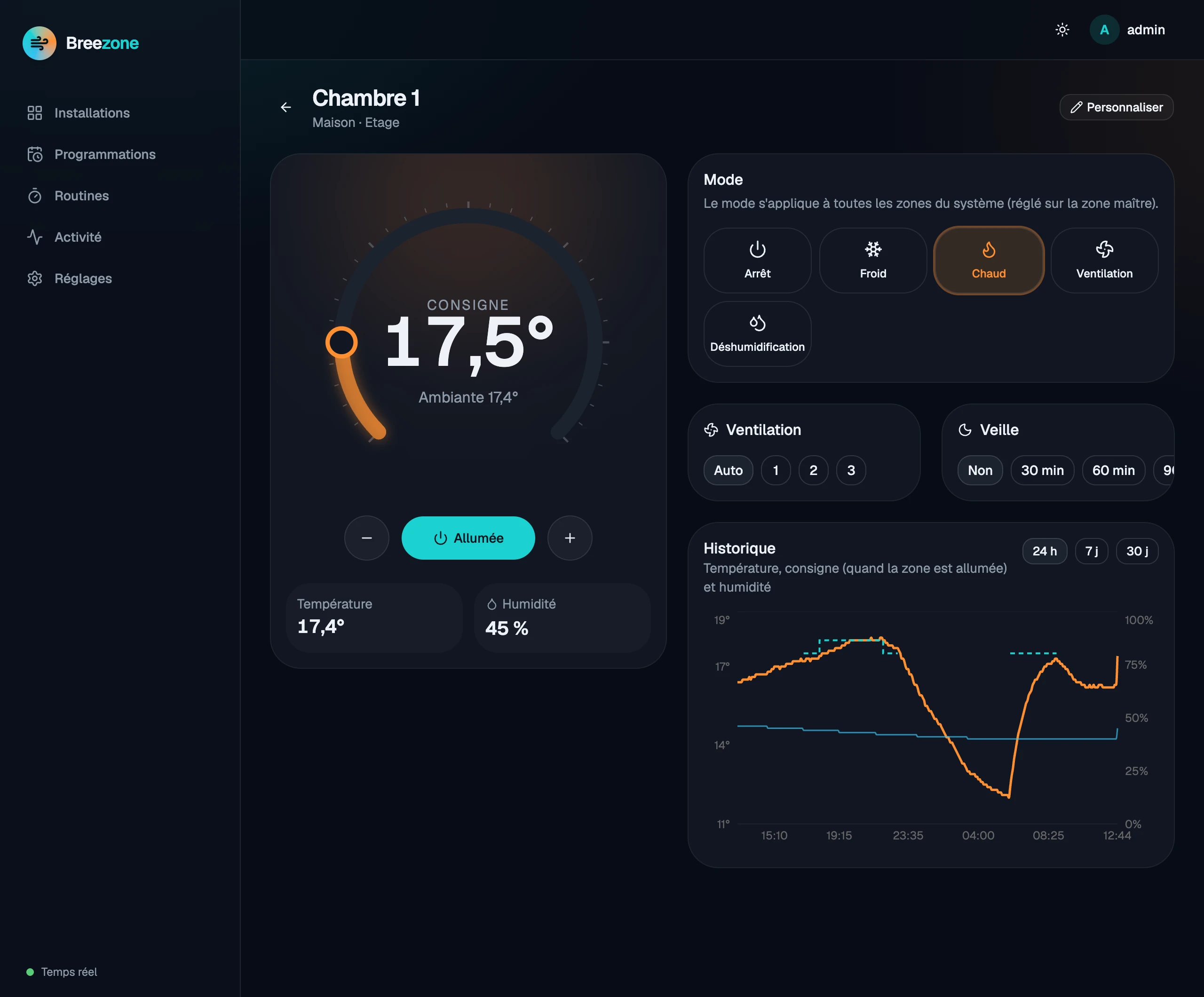
- Zones: on/off, setpoint, mode (heat, cool, fan, dry, auto), fan speed, sleep; groups (floors) with group on/off.
- Schedules: the schedules of the Airzone app, created and edited from Breezone, run by Airzone.
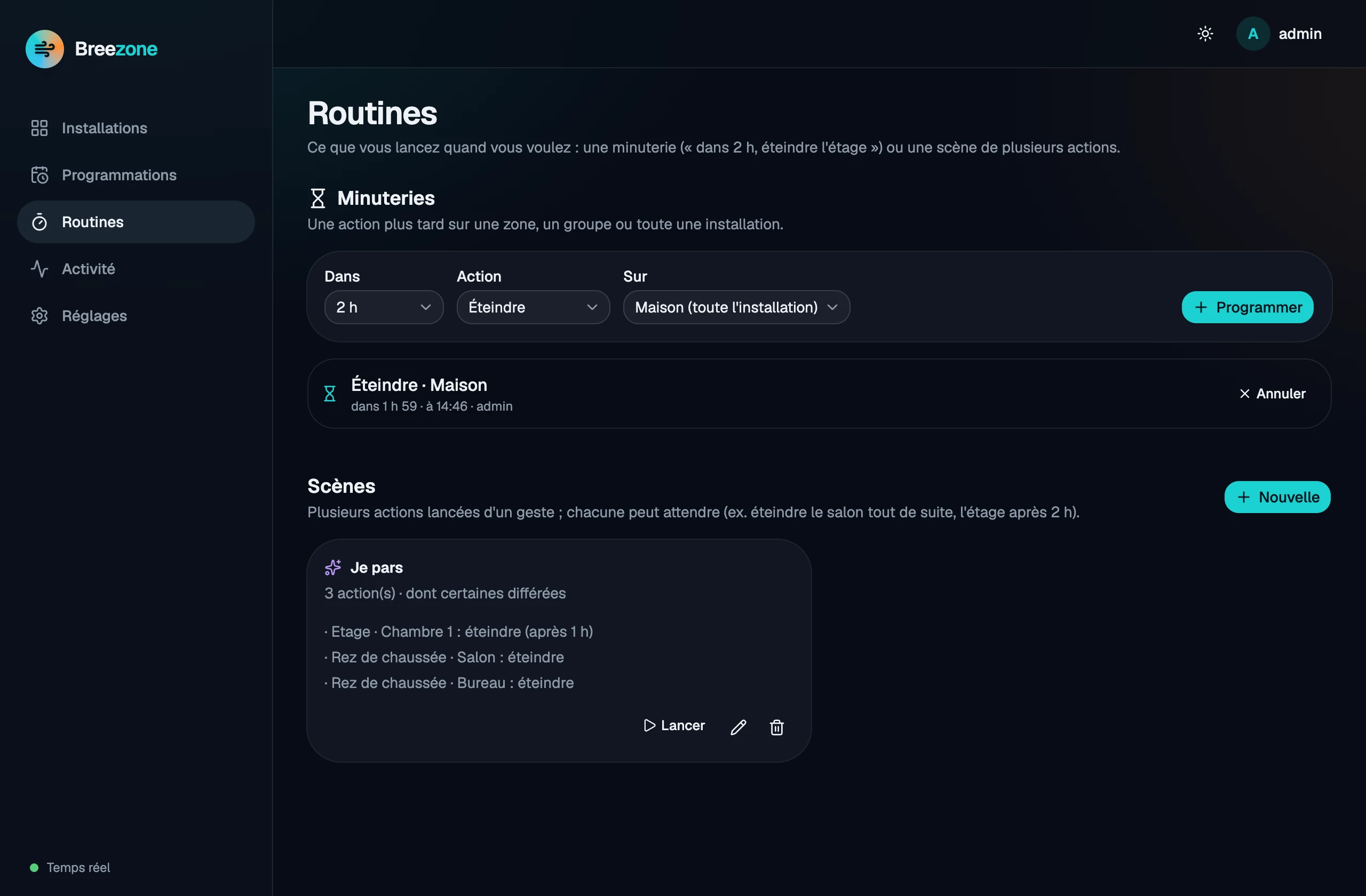
- Routines: scenes started on demand, run by your server (each step can wait, e.g. “switch the living room off now, the bedrooms in 2 hours”), and timers (“in 2 hours, switch everything off”).
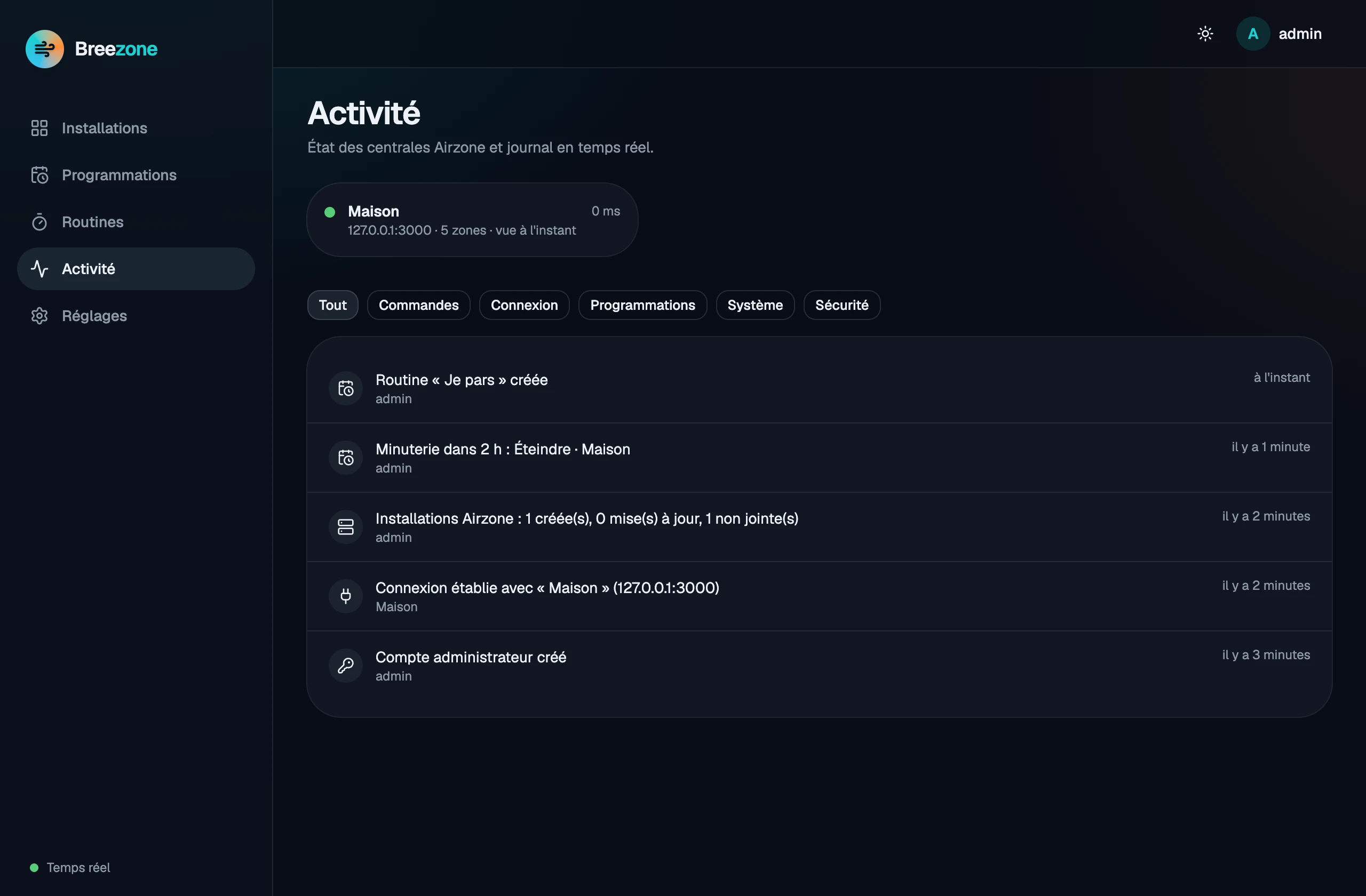
- History (temperature, setpoint, humidity) and a real-time activity feed.
- Several sites without VPN: each site runs its own Breezone; a server can share some of its installations with another one (single-use invitation, approval, signed requests, read-only or control, revocable) — see Linking two sites (in French).
- Users and devices: administrators and users; each user only sees the installations given to them, read-only or with control; sessions revocable per device.
- Optional Airzone account import (read-only): installation names, city, zone groups; WebServers are found on the network by their MAC address.
- Tiny: one ~20 MB image, a few MB of RAM — fits on any NAS or Raspberry Pi.
Screenshots
 |
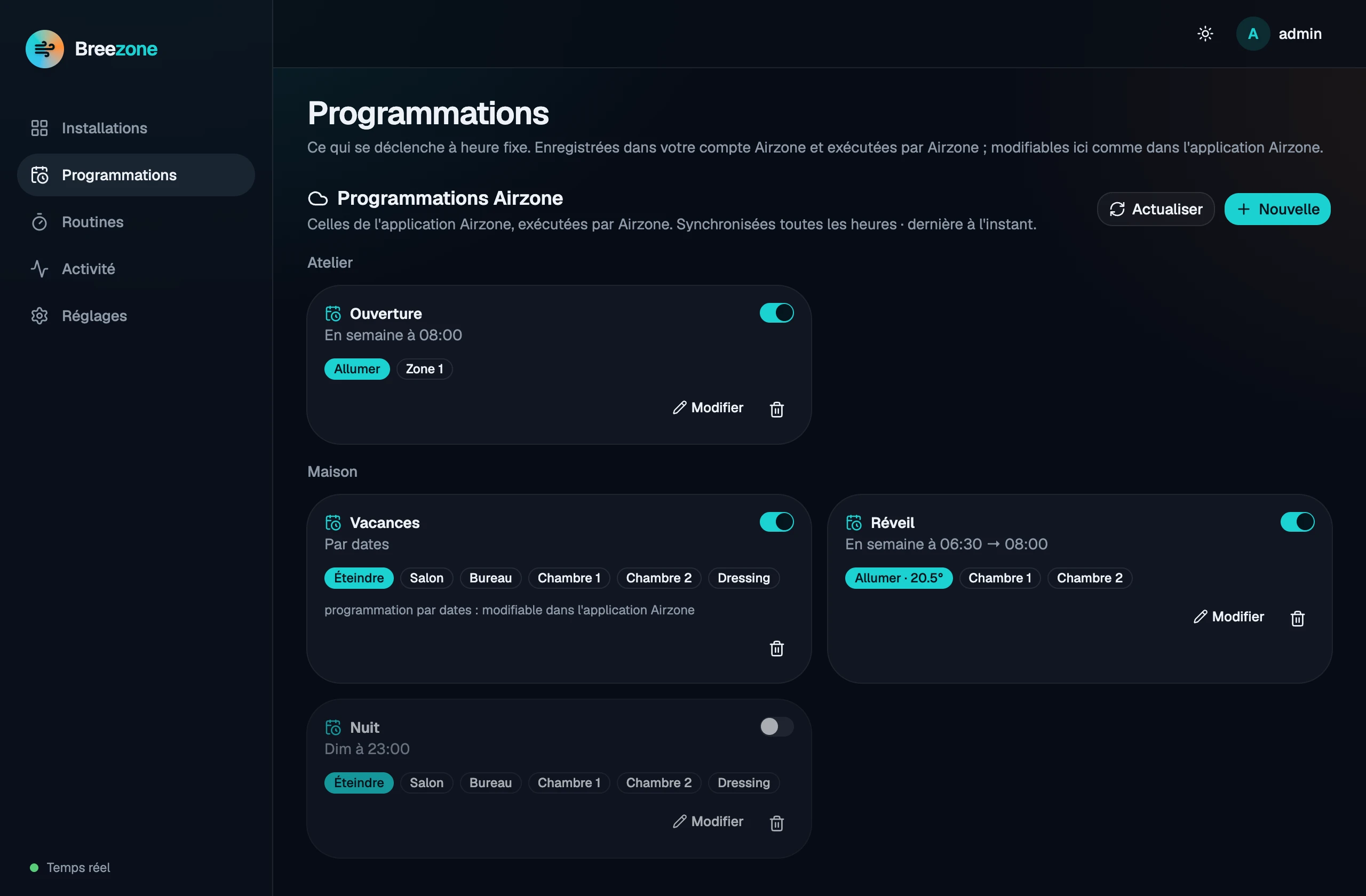 |
| Zone: setpoint, mode, fan speed, sleep and history | Schedules of the Airzone account, editable here |
 |
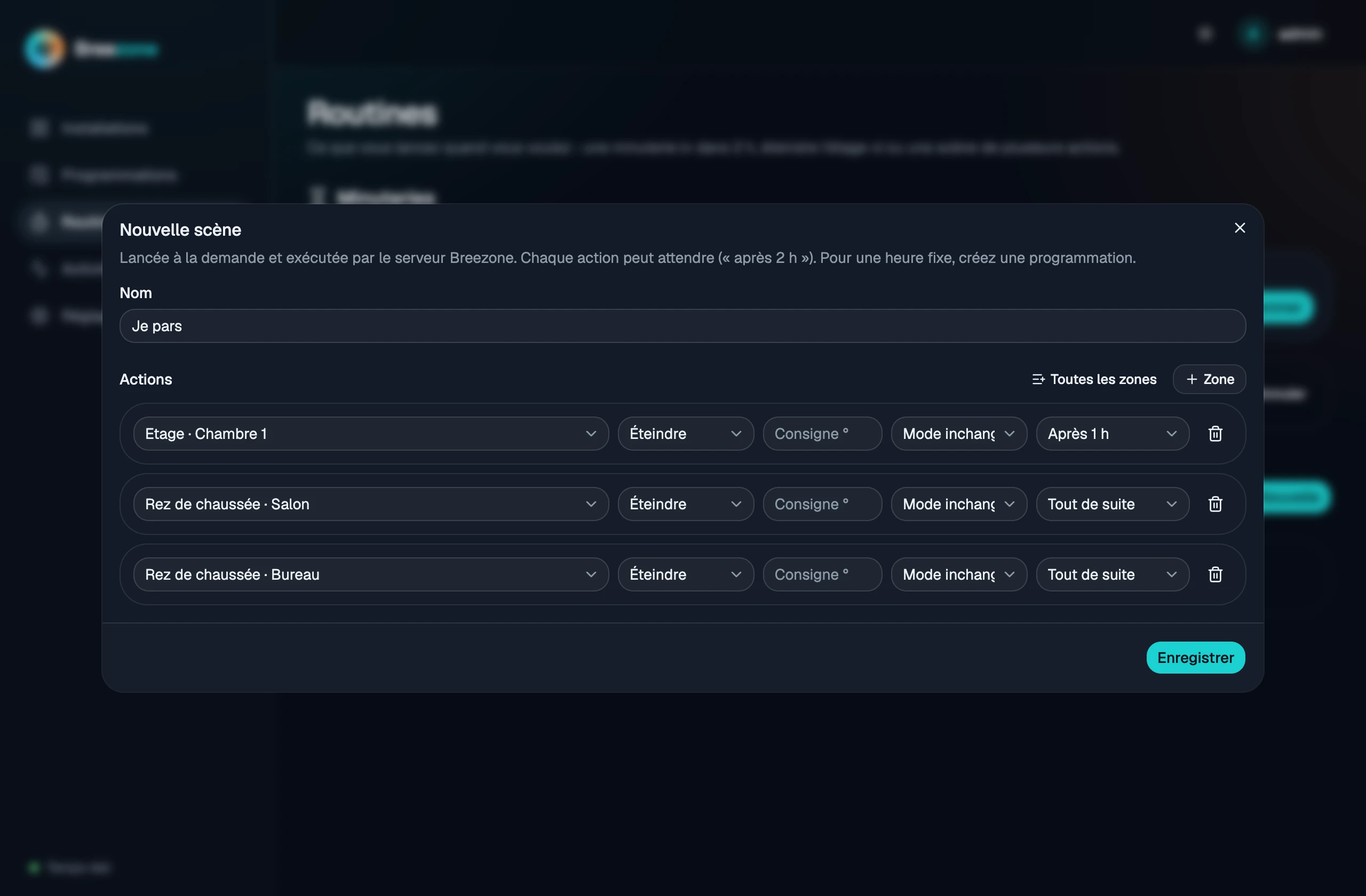 |
| Routines: timers and scenes | Scene with delayed actions |
 |
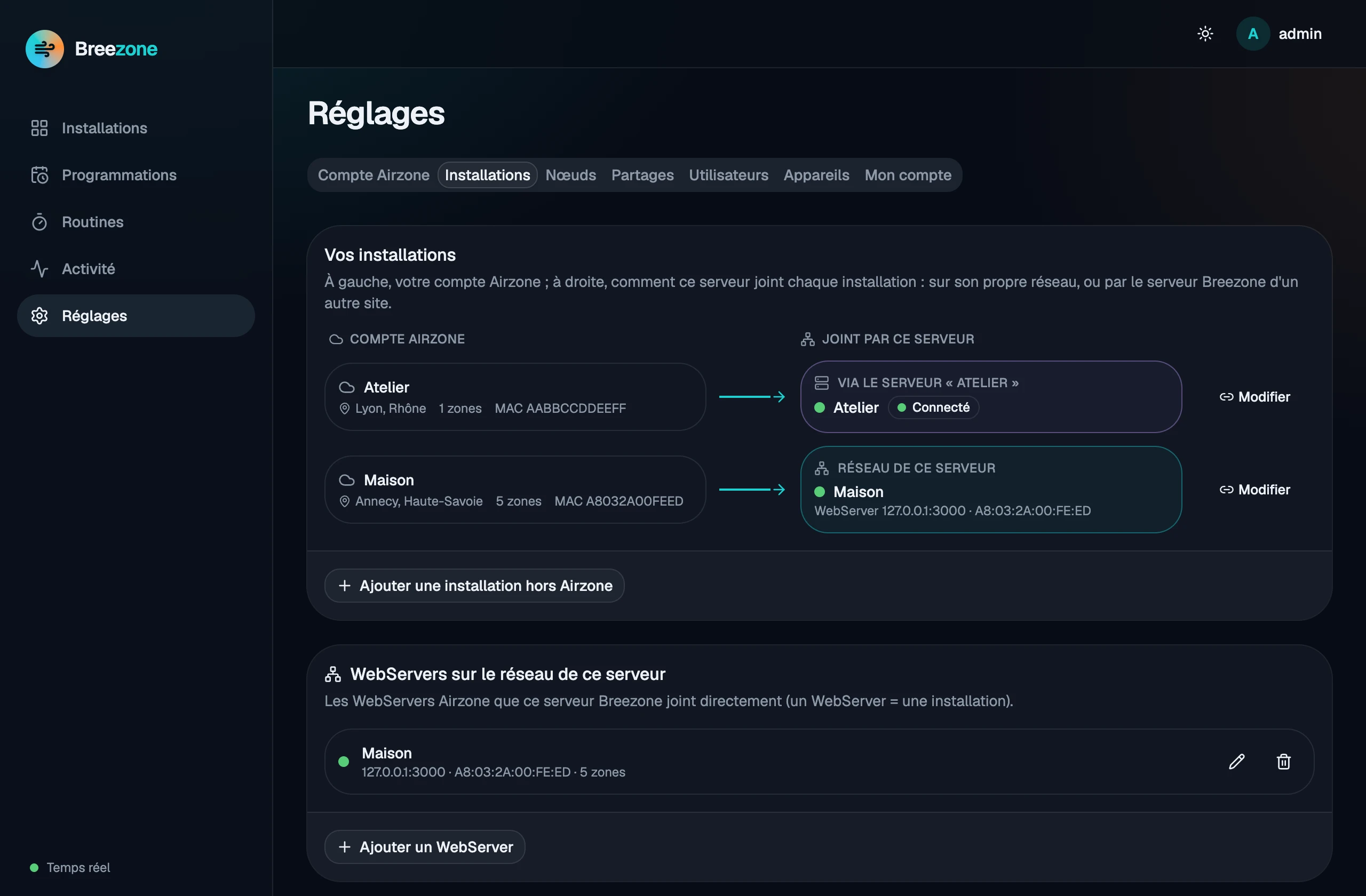 |
| Real-time activity | Installations: on this network or through another site |
The web UI is in French for now; English is on the roadmap.
Install (Docker)
The image is published on GitHub Container Registry: ghcr.io/emmanuelvinas/breezone
(linux/amd64 and linux/arm64). Tags: latest, the version (0.4.1) and the minor line (0.4).
Create a breezone folder with this docker-compose.yml, then run docker compose up -d:
services:
  breezone:
    image: ghcr.io/emmanuelvinas/breezone:latest
    container_name: breezone
    restart: unless-stopped
    # Host network (Linux): Breezone finds the WebServers of your LAN by itself.
    network_mode: host
    environment:
      TZ: Europe/Paris
      # BREEZONE_PORT: "8427"   # if port 8427 is already taken
    volumes:
      - breezone_data:/data
    mem_limit: 300m

volumes:
  breezone_data:
Open http://<your-server>:8427: the first page creates the administrator account, then offers to
import your Airzone account (optional) or to search for WebServers on the network.
Without compose:
docker run -d --name breezone --restart unless-stopped --network host \
  -v breezone_data:/data -e TZ=Europe/Paris ghcr.io/emmanuelvinas/breezone:latest
Synology NAS: step-by-step guide with Container Manager, in French: docs/install-synology.md.
Network. The server must reach the WebServers (port 3000) on your LAN. Without network_mode: host
(Docker Desktop, bridge network with -p 8427:8427) it cannot guess your LAN: set it in
Settings › Installations (e.g. 192.168.1.0/24) or give the WebServer’s IP address.
Remote access without VPN. Use a Cloudflare Tunnel:
the repository’s full docker-compose.yml has a cloudflared service (tunnel
profile, token in .env: CLOUDFLARE_TUNNEL_TOKEN). No port is opened on your router. Never expose port
3000 of the WebServers: their API has no authentication.
Update. docker compose pull && docker compose up -d. To stay on a given version, replace
latest with its number (e.g. 0.4.1). Data (SQLite database, signing secret) is
in the breezone_data volume; back it up with
docker run --rm -v breezone_data:/data -v "$PWD":/backup alpine tar czf /backup/breezone.tgz -C /data .
Settings
| Variable | Default | Purpose |
|---|---|---|
BREEZONE_HTTP_PORT |
8427 |
Published port (compose) |
BREEZONE_VERSION |
latest |
Image tag (compose) |
BREEZONE_SCAN_SUBNET |
server’s /24 | Network scanned for WebServers (also settable in the UI) |
BREEZONE_AIRZONE_HOSTS |
— | Installations created at first start (Home=192.168.1.25,Office=192.168.1.40:3000) |
BREEZONE_ADMIN_USER / BREEZONE_ADMIN_PASSWORD |
— | Administrator created at first start (otherwise from the web page) |
BREEZONE_POLL_INTERVAL_SECS |
15 |
WebServer polling period |
BREEZONE_HISTORY_RETENTION_DAYS / BREEZONE_EVENTS_RETENTION_DAYS |
90 / 30 |
Retention |
BREEZONE_ACCESS_TOKEN_TTL_SECS / BREEZONE_REFRESH_TOKEN_TTL_DAYS |
900 / 365 |
Token lifetimes (device sessions are sliding) |
BREEZONE_JWT_SECRET |
generated in /data/jwt.secret |
Signing secret |
TZ |
Europe/Paris |
Time zone |
RUST_LOG |
info,… |
Log level |
Mobile app
Android: Google Play (coming soon) or build it yourself. Add your server’s address
(http://192.168.1.10:8427 at home, or your tunnel’s https:// address) and sign in; add one server
per site. The device session is kept in the Android Keystore / iOS Keychain: you sign in again only if
it changes or if the device is revoked from the web UI.
How it works
 Airzone WebServers ──(local API :3000, LAN)── Breezone server ──(REST + WebSocket)── mobile app
                                                Rust · SQLite                         web UI (served by the server)
                                                 ├─ other Breezone servers (federation, HTTPS)
                                                 └─ Airzone Cloud (optional: import, schedules)
| Folder | Content |
|---|---|
server/ |
Rust server (axum, sqlx/SQLite): API, Airzone polling, routines, timers, auth, federation, a fake Airzone for demos and tests |
web/ |
Web UI: React 19, Vite, Tailwind 4, shadcn/ui |
mobile/ |
Compose Multiplatform app (Android and iOS) |
docs/API.md |
API reference (in French) |
docs/ROADMAP.md |
Roadmap (in French) |
Airzone APIs used:
- Local (WebServer, port 3000):
POST /api/v1/hvacto read,PUT /api/v1/hvacto write,POST /api/v1/webserver. The mode can only be written on the master zone of a system; Breezone handles it. - Airzone Cloud (optional, with your account): import of the organisation (read-only) and the schedules of the Airzone app (the local API has none).
Thanks to aioairzone and
aioairzone-cloud for documenting these APIs.
Contributing
Bug reports, ideas and pull requests are welcome: see CONTRIBUTING.md. Try it
without hardware: ./scripts/run-local.sh --demo starts a fake Airzone WebServer and a fake Airzone
Cloud. Security issues: see SECURITY.md.
License
PolyForm Noncommercial 1.0.0: you may use, study, modify and share Breezone for any noncommercial purpose (personal use, home, associations, education…). Commercial use — selling it, including it in a paid product or service — requires a separate agreement with the author. This is a source-available license, not an OSI-approved open-source license.